See what’s next.
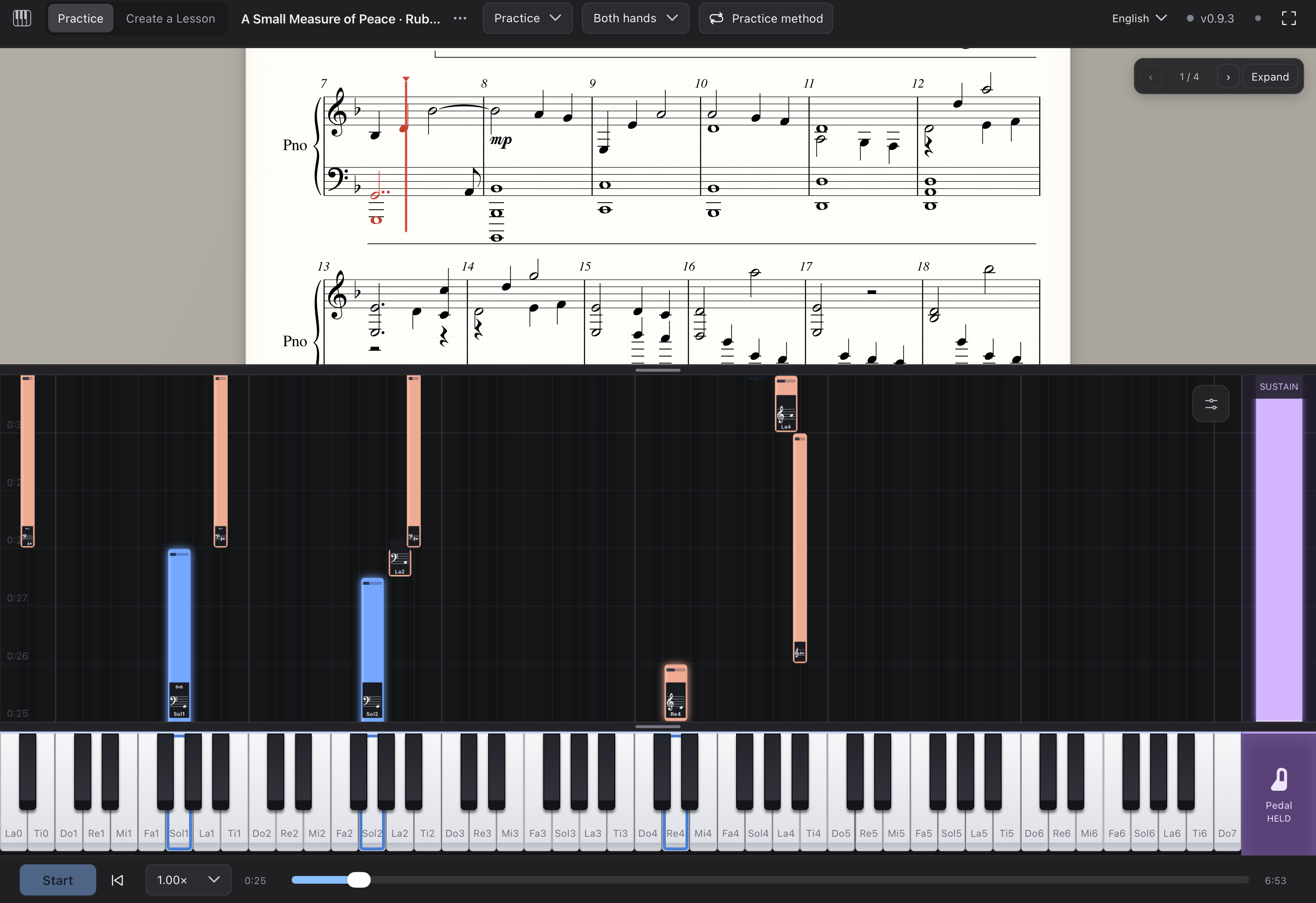
Read the score or follow the falling notes toward the keyboard. The two views move together, so you can find your way without losing your place.
PIANO SPARK · PUBLIC BETA
Follow the notes. Play the right keys.
Rach3 waits until you’re ready to move on.
For Apple Silicon and Intel Macs. Played on your piano.
Free and open source. Still in beta, so expect rough edges — tell us what you find.
PRACTICE THAT LISTENS
A recording keeps going. Your practice shouldn’t have to. Rach3 follows the keys you play on your connected piano, giving each note the attention it deserves.
Read the score or follow the falling notes toward the keyboard. The two views move together, so you can find your way without losing your place.
Play the highlighted notes together. The lesson waits until the required notes are held and extra keys are released, so a tricky chord gets as much time as you need.
Keep the notes held for their indicated duration, then release them and move on. Practice becomes a conversation between your hands and the music.
No rushing past the hard part. The music moves when you do.
A CLEARER WAY INTO THE MUSIC
A familiar score above. A visual guide below.
Choose the cues that help your hands understand.
Blue and coral distinguish the parts in lessons that include them. Focus on a hand or part, then bring the music together.
Slow the lesson down, listen before you play, and repeat it as often as you like. Your practice pace is yours to choose.
Your lesson, position, settings, and workspace stay with you. Go full-screen or resize the panels to suit your practice. Come back without setting everything up again.
CREATE A LESSON
Start with a MIDI file, a score, a video, or a YouTube link.
Turn it into something you can work through at the piano.
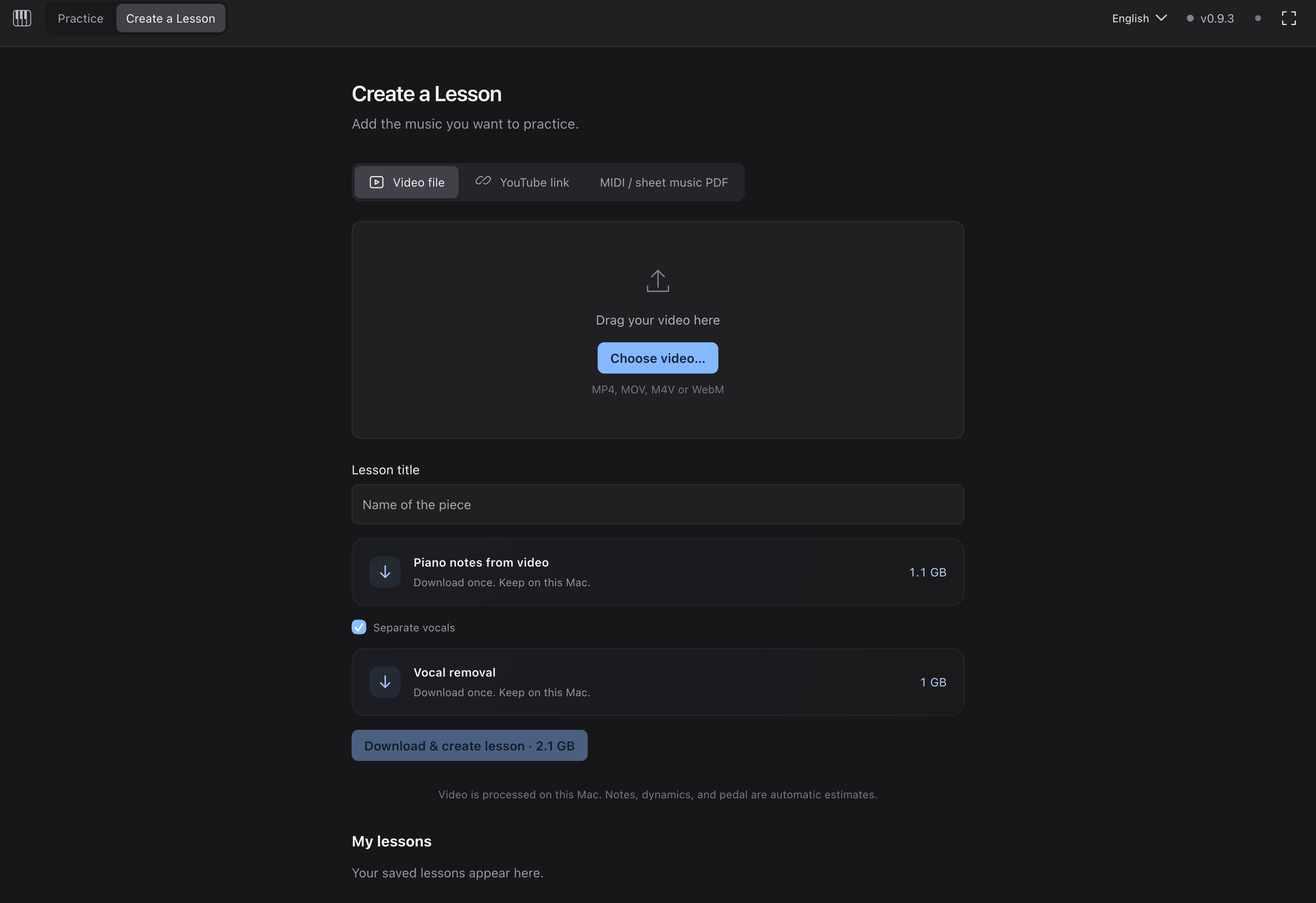
Your lessons, all together. Import once, keep the lesson in your library, and return whenever you’re ready to play.
Bring in the notes, timing, and pedal information already in your MIDI file.
Import a PDF score and let the built-in recognition turn the page into a lesson.
Choose a local video and create a piano lesson from its audio, on your Mac.
Paste a link to bring a performance into your practice workflow.
Audio transcription and PDF recognition are experimental. Generated lessons can contain note or rhythm errors. Local-file processing runs on your Mac; YouTube requires an internet connection.
MORE TIME WITH THE MUSIC
No new account. No complicated setup.
Just a little space for your next practice.

YOUR MAC. YOUR PIANO.
Rach3 is a standalone desktop app. Practice right away. Download lesson tools only when you need them, with clear progress inside the app. Updates arrive automatically.
One download for both kinds of Mac. Open the DMG, drag Rach3 to Applications, then open it from there. No separate Python installation or background service to manage. On Intel, removing vocals from a video takes longer.
Bluetooth MIDI reads the keys and pedal you play. Pianos with standard Bluetooth MIDI appear in the app’s device list; Bluetooth audio alone is not enough.
Updates preserve your saved lessons and workspace. Downloaded tools stay on your Mac, separate from app updates. No repeated model downloads.
FREE AND OPEN SOURCE
Rach3 is free software under the GNU AGPL v3. Read every line of the code, report a bug, suggest an idea, or build on it. No account, no subscription, no ads.
Rach3 is in public beta on Mac and Windows. Practice works every day, but features are still changing. Lessons made from recordings or PDFs can contain wrong notes or rhythms, and Bluetooth on Windows has not yet been tested with many pianos. Updates arrive automatically as it improves.
The hard part of turning music into a lesson is done by models that their teams chose to share. Thank you.
Nazif Can Tamer, Victoria Ebert, Guang Yang and Noah A. Smith. Rubato: Transcribing Piano Music with Timestamps, NeurIPS 2026.
Vocal model by Kimberley Jensen, on the architecture by Ju-Chiang Wang, Wei-Tsung Lu and Minz Won. Run with python-audio-separator by Nomad Karaoke.
Christian Liebhardt, building on oemer and Polyphonic-TrOMR. Text recognition by RapidOCR with PaddleOCR models.
Engraving by the RISM Digital Center; score analysis by Michael Scott Asato Cuthbert and the music21 contributors. Music fonts Leipzig and Bravura.
PIANO SPARK
Your next note is a good place to start.
One download works on both. Not sure which Mac you have? Choose Apple menu → About This Mac: “Chip” means Apple Silicon, “Processor” means Intel.
v0.9.3 · Public beta
Windows 10 or 11 · 64-bit · 33.4 MB installer. Windows may say it protected your PC, because the beta is not yet signed with a publisher certificate. Choose More info → Run anyway.